
Async / Await in JavaScript and TypeScript - Simple & Code Example
M
Software Development,
Cybersecurity,
IT Staffing & Contracting,
Outsourcing
Search for a command to run...
No comments yet. Be the first to comment.
This is a series of articles about TypeScript and JavaScript, where I share my experience, preferences, recommendations, along with useful tips.
In this video, I am going over 10 JavaScript courses that I tookand I am sharing my personal experience and thoughts about them. #FEATURES In addition .forEach(course) 😉I am checking the following: C
Angular version 20 has arrived with new features and improvements that every Angular developer will want to explore. Whether you’re maintaining an existing Angular project or starting fresh, it’s impo

Angular v20 brought significant changes to naming conventions and project structure that go beyond the typical version update. While most Angular updates focus on API changes and new features, v20 int

I’ve been making YouTube videos across multiple channels, covering topics from web development & everything tech related, to niche passions. It’s been a fun ride, but one thing has always been clear:

This company is hiring for ... wait for it ... '𝗩𝗶𝗯𝗲 𝗖𝗼𝗱𝗲𝗿 𝗙𝗿𝗼𝗻𝘁𝗲𝗻𝗱 𝗗𝗲𝘃𝗲𝗹𝗼𝗽𝗲𝗿 Just yesterday, I was dealing with another company that had the role of ‘Technical Support Eng

In the world of artificial intelligence, the terms LLM chatbots and AI agents are often used interchangeably, leading to confusion. However, they are fundamentally different in their design, purpose,

Asynchronous programming is an important concept in modern web development. JavaScript, as one of the most popular programming languages, has evolved to support asynchronous programming with the introduction of the async/await syntax.
Async/await is a feature that allows developers to write asynchronous code that looks and behaves like synchronous code. It was introduced in ECMAScript 2017 (ES8) and is now widely supported in modern browsers and Node.js environments.
Async/await is built on top of Promises, which are objects that represent a value that might not be available yet but will be resolved at some point in the future. Async/await provides a more readable and less error-prone way of working with Promises.
Async/await is commonly used for making network requests, such as HTTP calls, and for other time-consuming operations, such as file I/O or database queries. It allows developers to write code that waits for the result of an asynchronous operation before continuing execution, without blocking the main thread of the application.
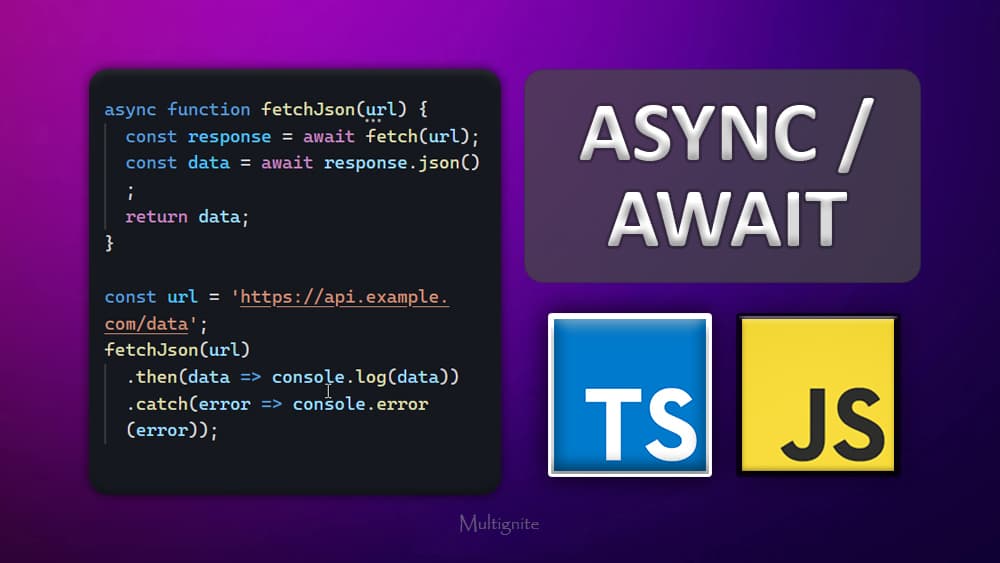
Making HTTP requests is a common use case for async/await. The Fetch API is a built-in JavaScript API that provides a simple and concise way to make HTTP requests. Here's an example of using async/await to make an HTTP request using the Fetch API:
async function fetchJson(url) {
  const response = await fetch(url);
  const data = await response.json();
  return data;
}

const url = 'https://api.example.com/data';
fetchJson(url)
  .then(data => console.log(data))
  .catch(error => console.error(error));
In this example, we define an async function called fetchJson that takes a URL as its parameter. Inside the function, we use the await keyword to wait for the response from the server, and then we use await again to wait for the response to be parsed as JSON.
When the fetchJson function is called, it returns a Promise that resolves to the parsed JSON data. We can then use the then method to access the data, or the catch method to handle any errors that occurred during the request.
When using async/await to make HTTP requests, the type of the response you get from the server is a Promise that resolves to a Response object. The Response object contains information about the response, such as its status code and headers, as well as methods for accessing the response data.
One benefit of having the response type be a Promise is that it allows us to use the await keyword to wait for the response to be fully received and processed before continuing with the next line of code. This helps ensure that we have all the data we need before trying to work with it, which can be particularly important when working with asynchronous code.
async function fetchData() {
  try {
    const response = await fetch('https://api.example.com/data');
    const data = await response.json();
    console.log(data);
    // Do something with the data here
  } catch (error) {
    console.error(error);
  }
}

fetchData();
In this example, we define an asynchronous function called fetchData that uses await to wait for the response to be fully received and processed before logging the data to the console and doing something with it.
Using await in this way ensures that we have all the data we need before trying to work with it, which can be particularly important when working with asynchronous code. Additionally, by wrapping the code in a try/catch block, we can handle any errors that occur during the request more robustly and reliably.
async function fetchData(): Promise<void> {
  try {
    const response = await fetch('https://api.example.com/data');
    const data = await response.json();
    console.log(data);
    // Do something with the data here
  } catch (error) {
    console.error(error);
  }
}

fetchData();
In this example, we've added a return type of Promise<void> to the fetchData function, which indicates that it returns a promise that resolves to void (i.e. nothing).
We've also used the await keyword to wait for the response to be fully received and processed before logging the data to the console and doing something with it.
Finally, we've wrapped the code in a try/catch block to handle any errors that occur during the request more robustly and reliably.
Async/await is a powerful feature in JavaScript that makes it easier to work with asynchronous code, particularly when making network requests. By allowing us to write asynchronous code that looks and behaves like synchronous code, async/await can help improve the readability and maintainability of our code, while also improving the performance of our applications by reducing blocking and waiting times.